
How to add a starting soon countdown to OBS
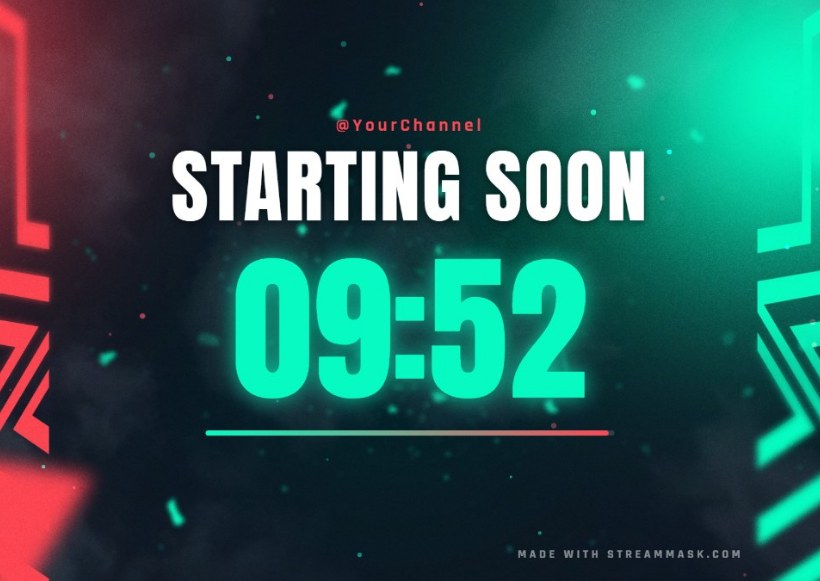
A starting soon screen with a countdown tells your viewers exactly when the stream begins, and it buys you a few minutes to get ready. You do not need a plugin or a video editor: OBS can show a web page as a Browser Source, and our free widget is exactly that.
1. Design your countdown
Open the free OBS widgets page and choose Starting Soon. Pick one of the six designs, choose your colors, add your handle and set the timer:
- Countdown from when the source loads: type the minutes (for example 10). Best for a scene you switch to right before going live.
- Countdown to a clock time: type the time you go live, in your local time (for example 20:00). If that time has already passed today, it counts down to tomorrow.
- No timer: shows animated dots, handy for a be right back scene.
2. Copy the link
Press Copy link under the preview. Your choices are stored inside the link itself, so there is nothing to sign up for.
3. Add it to OBS as a Browser Source
In OBS Studio create a scene called "Starting Soon". Click + under Sources and choose Browser. Name it, paste the link into URL, set Width 1920 and Height 1080 and click OK. The widget is a full scene, so it does not need anything else on top.
4. Restart the countdown every time
Open the source's properties and turn on Refresh browser when scene becomes active. With a minutes countdown, the timer then starts from the full amount each time you switch to the scene. If you prefer an exact start time, use the clock time option instead.
5. Switch scenes when it reaches zero
At zero the widget shows a short message such as "LET'S GO!". Switch to your main scene with a click, or assign a key to each scene in Settings > Hotkeys so you can do it without leaving the game.
Use the same widget for BRB and ending screens
In the widget picker choose Be Right Back or Stream Ending. They use the same design and colors, so your three scenes look like one brand. You can also add a social media rotator over your gameplay and an animated weekly schedule.
Streamlabs Desktop
The steps are the same: add a Browser Source, paste the link and set the size to 1920x1080.
Common problems
- Blank scene: check that the whole link was pasted. The widget loads its artwork and fonts online, so it needs an internet connection. Right-click the source and choose Refresh.
- The countdown restarts when I switch scenes: that is what "Refresh browser when scene becomes active" does. Turn it off, or use the clock time option.
- The image looks cropped or blurry: make sure the Browser Source is 1920x1080 and your OBS canvas is 1920x1080 too.